 Chairs & Seating


 Filing & Storage


 Furniture Ranges


 Screens & Partitions


 Office Accessories




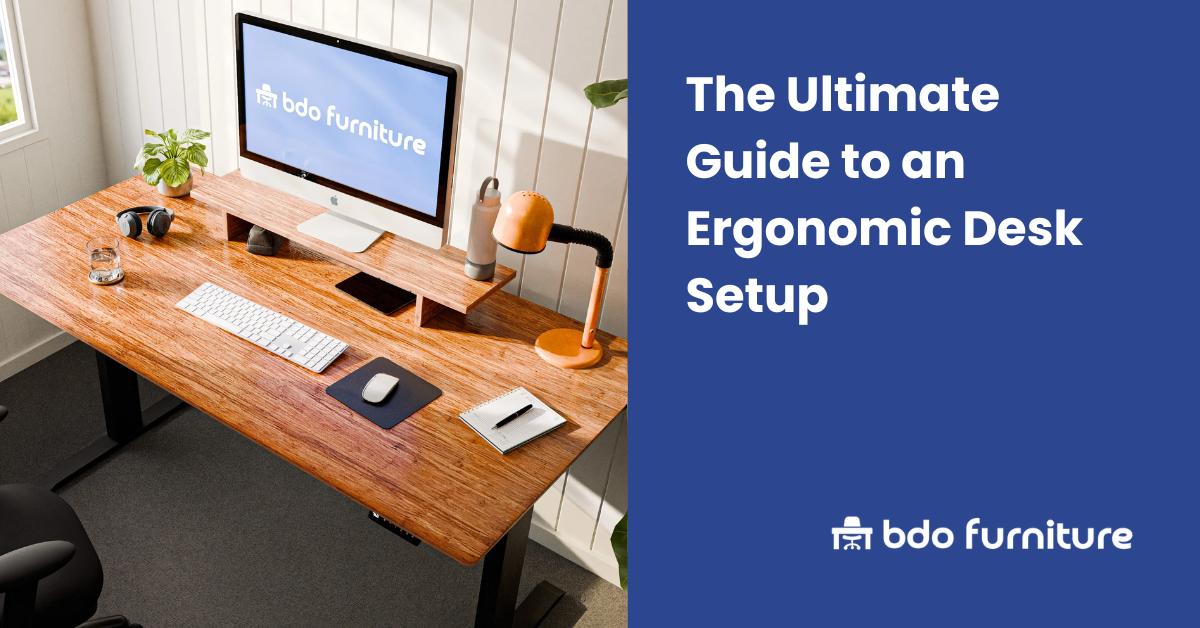
If you’ve ever ended a long workday with a stiff neck, sore shoulders, or nagging back pain, you’re not alone. Millions of people experience these discomforts daily, and often the culprit isn’t the workload itself—it’s the workspace. Poor desk setups can lead to everything from chronic tension headaches to repetitive strain injuries, draining your energy and making it harder to focus.
An ergonomic desk setup is the solution. Designed to align your body naturally and reduce strain, it creates a workspace that works with you, not against you.
Why Investing in Desk Ergonomics is Essential
When most people hear the word “ergonomics,” they think of comfort. While comfort is certainly part of it, the benefits run much deeper. An ergonomic desk setup is a long-term investment in your physical health, mental focus, and overall wellbeing.
Health
Poor posture and misaligned workstations put stress on your muscles, joints, and nerves. Over time, this can cause musculoskeletal disorders such as:
- Carpal tunnel syndrome from repetitive wrist strain.
- Tech neck from constantly looking down at screens.
- Lower back pain from unsupported seating.
By setting up your desk ergonomically, you reduce these risks dramatically. Proper alignment improves circulation, eases pressure points, and keeps your spine in a neutral position—protecting your body both now and in the future.
Productivity
It’s difficult to focus when your body is in pain. A well-designed workspace minimises physical distractions, allowing you to direct your energy toward the task at hand. Studies consistently show that ergonomic interventions increase productivity by reducing fatigue and mental strain. The logic is simple: when you’re physically comfortable, you can concentrate longer and get more done.
Wellness
There’s also a psychological benefit to consider. A cluttered or uncomfortable workstation can create stress and frustration. On the other hand, a thoughtfully designed ergonomic setup gives you a sense of control over your environment. This promotes a calmer mindset, reduces tension, and makes working feel less like a physical chore.
Step-by-Step: How to Set Up Your Desk Ergonomically
Ready to build a healthier workspace? Here’s how to setup a desk ergonomically in a way that supports your body and boosts performance.
1. Your Chair
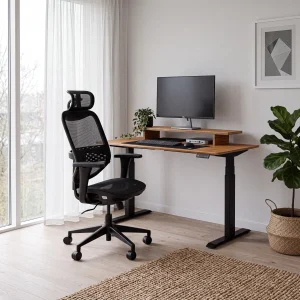
Your chair is the foundation of your setup. Look an ergonomic office chair with adjustable features that allow you to customise support:
- Seat height: Adjust so your feet are flat on the floor (or on a footrest) and knees are at roughly 90 degrees.
- Backrest: Make sure it provides lumbar support, keeping your lower spine’s natural curve supported.
- Armrests: Set them so your shoulders remain relaxed, not hunched.
2. Your Desk
Desk height matters more than you might think. Ideally, your forearms should be parallel to the floor when typing, with elbows at a 90-degree angle. For maximum support, consider an ergonomic office desk sit-stand desk that avoids static posture and reduces fatigue.
- Explore adjustable options here: Height Adjustable Desks.
3. Your Monitor
Screen placement has a huge impact on your neck and eye comfort. Follow these rules of thumb:
- Position your monitor an arm’s length away.
- The top of the screen should be at or just below eye level.
- Tilt the screen slightly back to reduce glare and strain.
Perfect your setup with Monitor Arms or Monitor Stands.
4. Your Keyboard & Mouse
Your wrists should stay in a neutral position—not bent upward or sideways—while typing. Position the keyboard so it’s close enough that you don’t have to stretch forward. Pair it with an ergonomic mouse, such as a vertical design, to reduce wrist strain.
- Explore our range of office desk accessories.
5. The Rest of Your Workspace
- Lighting: Position your desk to avoid glare on the screen and ensure adequate light without strain.
- Reach zone: Keep frequently used items within arm’s reach to prevent unnecessary stretching.
- Cable management: Tidy cables not only reduce clutter but also prevent tripping hazards and improve concentration.
The Best Ergonomic Desk Setup Accessories
The right accessories can take your workstation from “good enough” to truly ergonomic. Each one addresses a specific challenge and helps fine-tune your comfort.
Ergonomic Footrests
Do your feet dangle or rest uncomfortably? A footrest keeps your legs properly supported, promoting circulation and reducing lower back strain.
- Shop footrests.
Monitor Arms
Need more desk space or better screen positioning? Monitor arms give you full control over screen height, distance, and angle—making neck pain a thing of the past.
- Shop monitor arms.
Anti-Fatigue Mats
If you’re using a standing desk, an anti-fatigue mat is essential. It cushions your feet, reduces pressure on your joints, and encourages subtle movement to keep your body active.
- Shop anti-fatigue mats.
Laptop Stands
Working primarily on a laptop? Without a stand, you’ll inevitably hunch forward. A laptop stand raises your screen to the correct height, preventing long-term neck and back issues.
- Shop laptop & monitor stands.
Common Ergonomic Mistakes and How to Fix Them
Even with the best setup, it’s easy to slip into bad habits. Here are some of the most common mistakes and how to correct them.
- Mistake: Slouching or hunching over your desk.
Fix: Adjust your chair and monitor height to encourage an upright posture.
- Mistake: Wrists bent at awkward angles while typing.
Fix: Position your keyboard correctly or use a wrist rest for neutral alignment.
- Mistake: Staying in one position for too long.
Fix: Take micro-breaks every 30–60 minutes. Stretch, walk, or change posture with a sit-stand desk.
The Final Takeaway: A Proactive Approach to Your Work Health
The best ergonomic desk setup doesn’t just avoid discomfort; it promotes health, productivity, and wellbeing. With the right adjustments and accessories, you can transform your workspace into an environment that supports both your body and your mind.
The best part? Ergonomics doesn’t require drastic changes. Often, small, intentional tweaks—like raising your screen, adjusting your chair, or adding a footrest—make the biggest difference.
Ready to take control of your workday comfort? Explore our full range at BDO Furniture to create a healthier, more productive workspace today.